Homelab Upgrade Pt.2 - Proxmox and CEPH
2025-10-23
Installing the hypervisor is the easy bit right? Nothing complicated could happen at all...
The plan
As I talked about in my previous blog post... I am now the proud owner of more compute than is reasonable. That hardware now needs a purpose, and given that my current infrastructure runs on Proxmox it makes sense to use that. Proxmox has good support for clustering both for storage and VM management, so it should be a fun experiment.
To get a fully-running cluster, I roughly need to:
- Install boot drives in each new node
- Network the servers
- Install Proxmox on each host
- Form a cluster with the my old server
- Migrate VMs from the old server to the new servers
- Move the drives from the old server to the new nodes
- Form a CEPH storage pool on the new drives
- Migrate the VMs to the CEPH storage
- Retire old server
- Profit?
Preparing the hardware
As bought, the server contained no drives. I am going to move all 8 of the SSDs from my old server to my new server eventually to make a CEPH pool, but I can't do that until Proxmox is up and running so I can migrate VMs first. Since the server has spare PCIe slots, and I have spare NVMes lying around, using those is probably the best path forward.
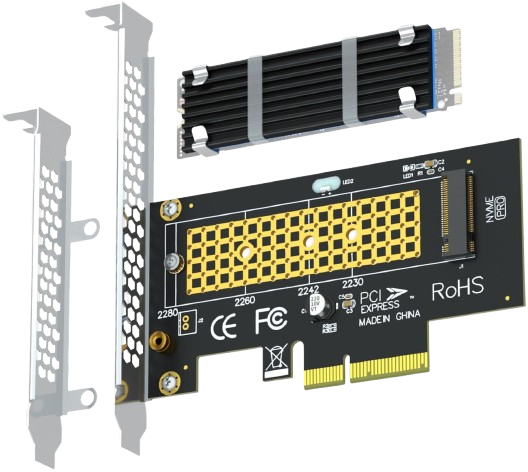
I got some snazzy M.2 to standard PCIe adapters on Amazon, put in the SSDs I already have and that should be good enough to boot from.
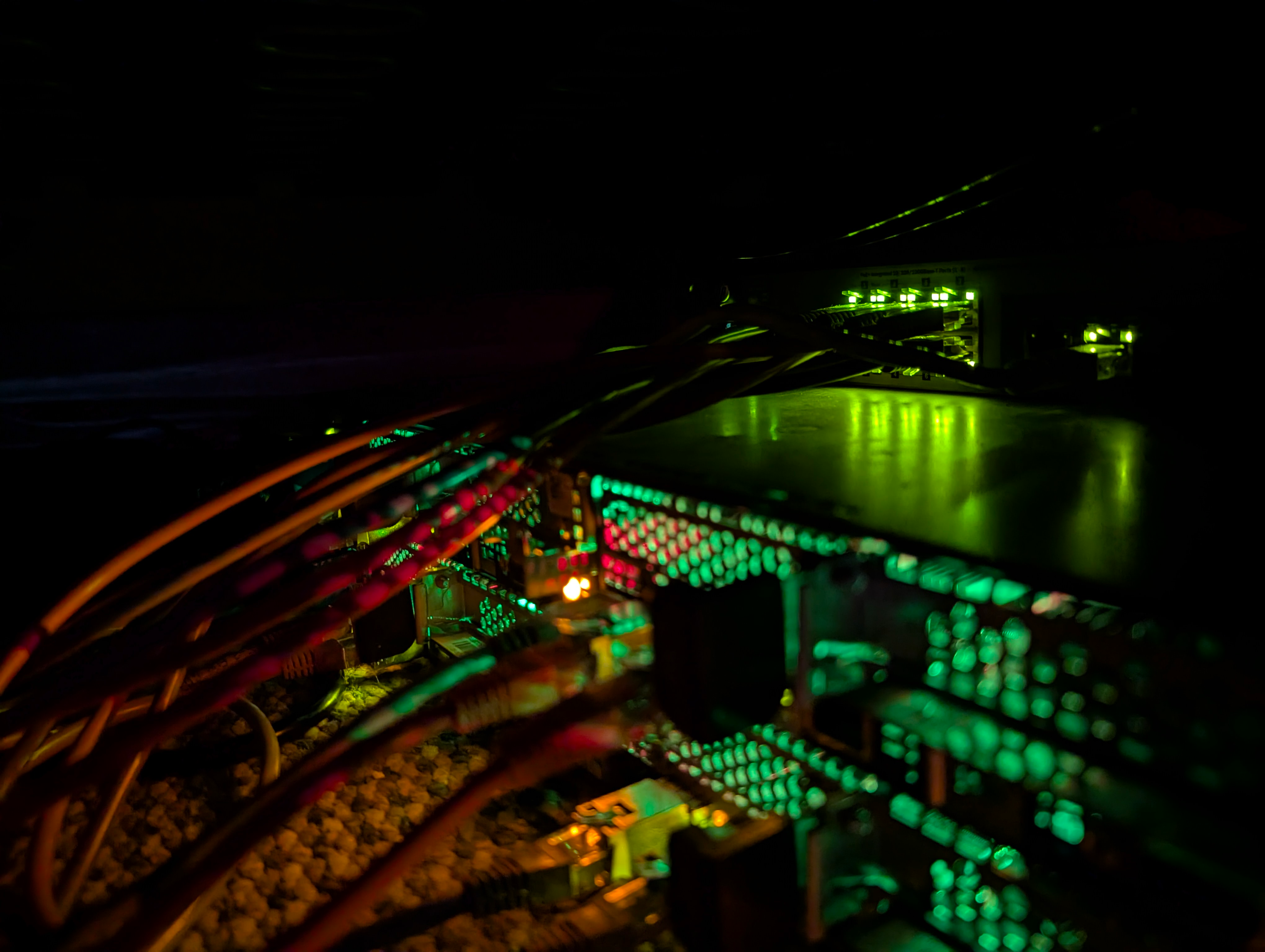
Each node has a NIC with 2xSFP+ ports on the back, so I also got the networking wired up to a switch (all on one VLAN for now), and hopefully once Proxmox is installed we can get everything doing LACP nicely.
Installing Proxmox
Running through the Proxmox install was easy as anything - just boot the server from the installation ISO, tell the server to install to the SSD, give it a hostname and IP, then set a password, and bang. Done. Reboot and we're all fine and dandy right?
Wrong. Reboot and no bootable device found... huh? Well after a bit of digging around it turns out that even though the server is modern enough support NVMe drives... it doesn't support them as boot drives. Ruh roh.
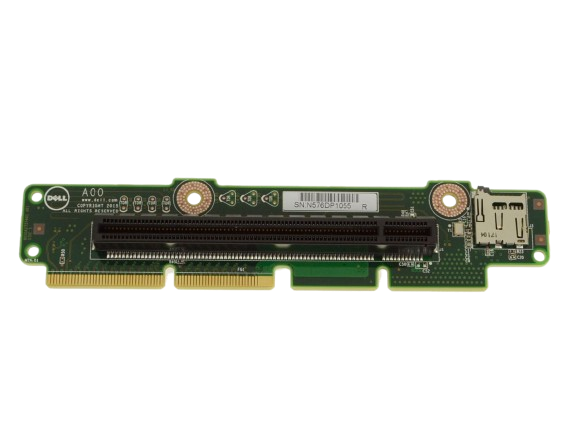
Then I noticed an awfully convenient feature of a the PCIe risers that came with the servers... is that a MicroSD card slot? Yes. Yes it is. And as it turns out it exists for this exact reason.
timeout -1
textonly true

default_selection "Proxmox"

scanfor manual

menuentry "Proxmox" {
    volume 3c427ff6-4540-40d5-975e-3163901bff51
    loader /EFI/proxmox/shimx64.efi
}
It was a little cursed, and I still don't know how I feel about it, but the server does support booting from the MicroSD, and so with a small rEFInd shim (where rEFInd has its own NVMe drivers), it was possible to chainload Proxmox.
So Proxmox was now booted and I could get to the web UI - great :D
I then made some quick tweaks to the Proxmox networking to make sure that it was treating the two uplinks as proper LACP pairs, and then the nodes were good to go.
Migrating old VMs
The plan to migrate the VMs from my old server (so I could then salvage it from RAM and SSDs) was fairly simple. Form one giant Proxmox cluster with the 4 new servers and the one old one... then just migrate the VMs to the local datastores on the new servers.
There was one slight issue though... since the old server was a single unit with 16TB of aggregated storage, I'd made a few VMs that had more than 1TB of disk storage on their own, and they were way too large to migrate to any individual one of the new nodes. After a bit of tedious work clearing caches on some old VMs, cleaning up logs, and thinking "hmmm... do I really need this old test ISO from 4 years ago that I kinda forgot existed", I was ready to start moving VMs.
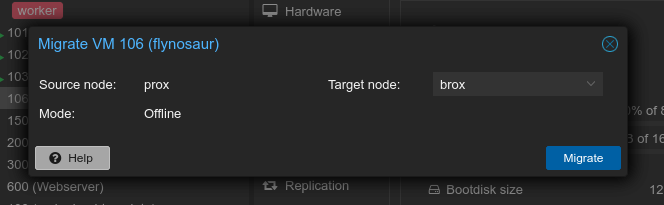
Actually migrating the VMs was almost too simple. Just right click the VM, click "Migrate", pick a destination server and Proxmox gets going. I won't pretend it was a quick process migrating 4TB+ of data between the servers, but eventually after a few hours of waiting, everything was moved across.
Finally, once all the VMs had been moved across to the new servers, I was ready to shut down all the servers, and gut the hardware from the old server to be reused in the new servers. I was able to double the amount of RAM in each node (yippee), giving me 256GB across the cluster, and I then moved the 8 drives from the old server to be spread out amongst the nodes with 2 in each.
I should also note that there was quite a complicated step in between here and the next step... reflashing the inbuilt RAID cards to use generic HBA firmware to ensure that the OS and CEPH got full control of the drives without any middleware fuckery. I've realised that I didn't actually document any of that process at the time of doing it, but I may at some point in the future write a short blog post about it if I feel it might be useful.
Playing around with CEPH
With the servers now booted with more RAM, and 2x2TB drives each, it was time to work out a nice way to get CEPH working. For those who don't know, CEPH is a distributed filesystem - i.e. each server has its own storage, and they work together to pool that storage into a single filesystem. This is unlike the confusingly-named clustered filesystem types, which are built around single block devices that have shared access from many devices (like you may see in SAN architectures).
CEPH is cool in that it was built with resiliency in mind, with the ability to define in as much different ways as you want your different levels of failure zones. You can specify which drives are connected to which backplanes, which backplanes are in which servers, which servers are in which racks (and so on), and it's CEPH's job to work out how to best protect your data given the number of replicas you let it make. The only downside to all of this is that it generally needs very fast networking to work nicely, and ideally networking that is entirely separate from your normal data networking. Sadly each of my own servers only have 2 links, and since I want LACP redundancy, CEPH is going to have to learn how to share :)
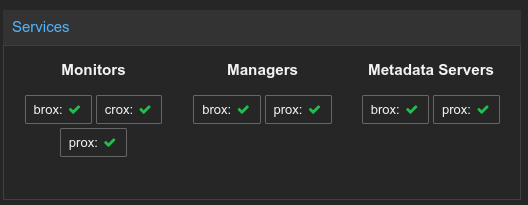
Proxmox makes CEPH very easy to get started with, so all I really had to do was enable CEPH on each node, and pick which servers would take which roles in the cluster. It is generally recommended to have a proper quorum of monitors (hence I made 3), and at the very least highly available managers and metadata servers (hence making a primary/secondary of each).
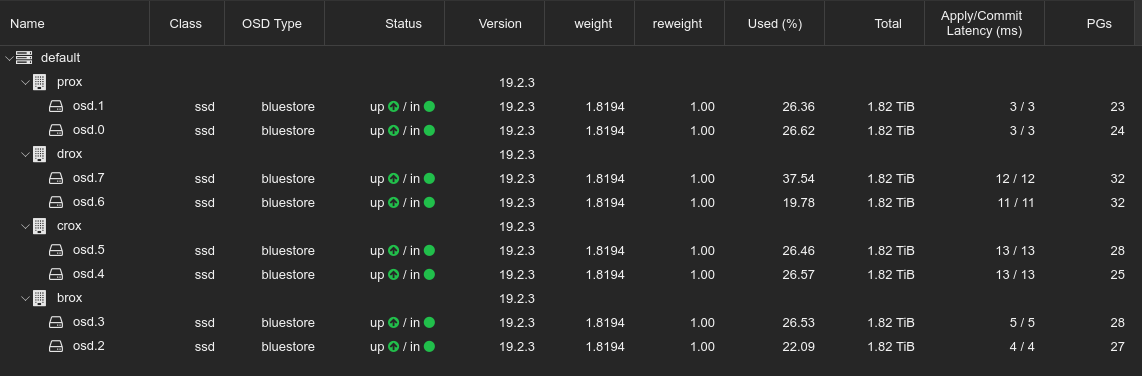
I was then able to format the drives in my server as CEPH OSDs from the UI, and just like magic I had a huge CEPH pool.
I also needed to setup a CephFS filesystem. By default CEPH is a simple block store, which is just fine for VMs, but Proxmox needs a proper filesystem for ISO images. Luckily, this was also just one click away and I was able to make a CephFS filesystem easily.
As a last step, I needed to actually migrate all of the VMs from the local host datastores to the CEPH cluster. This was easy like before... but definitely not quick, as it was effectively a hugely resource-intensive DDOS trying to get every server to copy terabytes of data to all of the other servers, but after a few days all was good and all my VMs could be started again.